Give each owner a login to their own project. They see daily reports and photos, and they approve and sign change orders without a phone call.
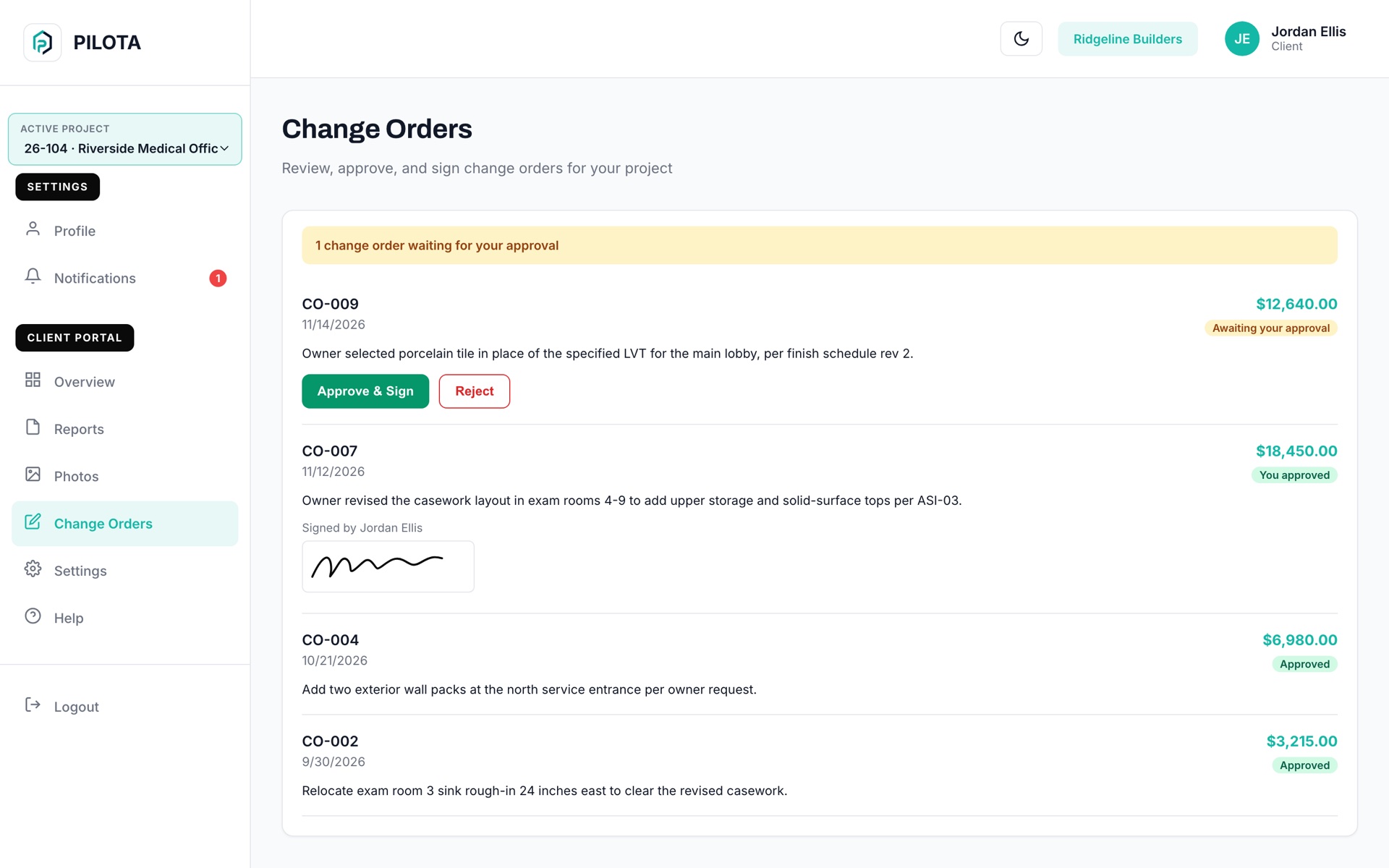

The PILOTA client portal is a login you give an owner or client so they can follow their project in PILOTA. They see only the projects you assign them: daily reports, project photos and change orders. When you send a change order for approval, they approve it with a signature or reject it with a reason, on the web or in the PILOTA app.
The owner wants to know how the job is going, so the PM spends Friday afternoon writing emails and pulling photos off three phones.
The CO went out as a PDF in an email. It sits in the owner's inbox for two weeks while the crew either waits or works at risk.
Giving the owner access to your project tool usually means they can see your other jobs, your crew and your costs. So nobody gets access at all.
A client sees only the projects you assign them. Staff pages like your dashboard, team, other jobs and company settings are blocked for the client role.
Send a change order to the client from the change order screen. The client approves it with a drawn signature or rejects it with a reason, and the signature is saved with the change order.
An overview with report, photo and change order counts, a list of recent daily reports with weather and status, and a photo gallery for the project.
For each project you choose what the client can see: reports, photos, financials, change orders and change order approval. Project chat, QC inspections and punch list access are off until you turn them on.
The client gets a notification when a change order is waiting on them. The person who wrote it and your approvers are notified the moment the client approves or rejects, with the reason.
Clients sign in on the web, or use the PILOTA app on iPhone or Android, where Approve and Sign works the same way.
In Partners, choose Invite Partner, pick Client / Owner, enter their name and email, and check the projects they should see.
The invitation email carries your company name and logo. The link is good for 7 days and sets up their login.
On the change order, choose Send to Client for Approval. It shows at the top of the client's Change Orders page as Awaiting your approval.
The client taps Approve & Sign and signs, or rejects with a reason. You are notified right away and the decision stays on the change order.
When the owner can sign from their phone, the decision comes back in hours, not weeks.
Contractor teams that rely on client portal day to day. Open one to see how it fits their work.
Only the projects you assign them, and only what you allow on each one: daily reports, project photos, financials and change orders by default. Your other jobs, your team and your company settings stay hidden.
Yes. After you send a change order to the client for approval, they can approve it with a signature or reject it with a reason. You are notified of the decision, and the signature is saved with the change order.
Go to Partners, choose Invite Partner and pick Client / Owner. Enter their name and email, check the projects they can see and set permissions for each. They get an email invitation with your company name and logo that is good for 7 days.
Yes. A client can sign in to the PILOTA app on iPhone or Android and see the same projects, reports, photos and change orders, including Approve and Sign. The apps are not in the App Store or Google Play yet, so most clients use the web for now.
Yes. In Partners, Revoke ends the client's access, and a pending invitation is cancelled.
Create your account, pick a plan, and your team is up and running the same day.
Get started PILOTA