Crews clock in on their phone, a shared kiosk or the browser. Each punch carries the project, the cost code and a location, so the office reviews real hours instead of paper cards.

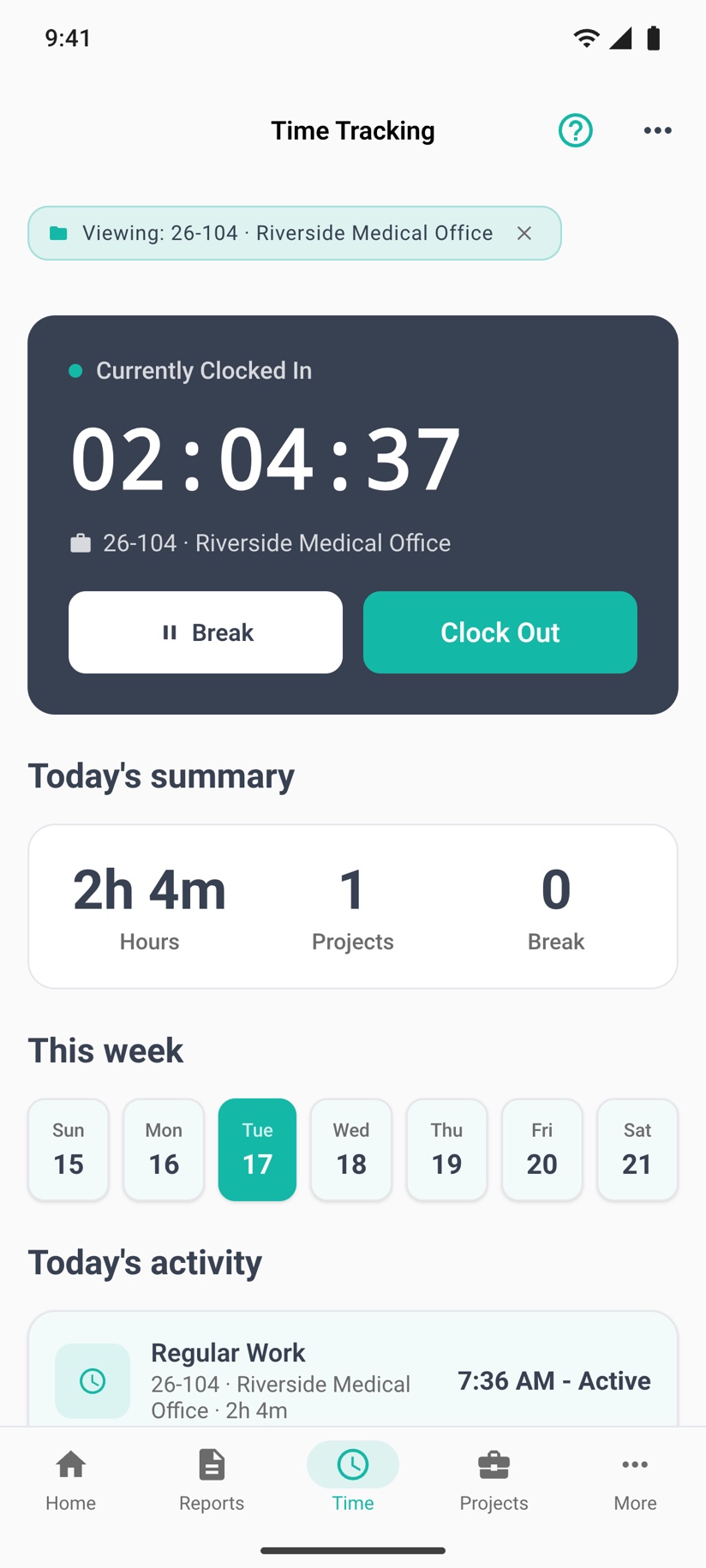
PILOTA's GPS time clock lets construction crews clock in and out from the iOS app, the Android app or the web portal, picking the project and an optional cost code. Each punch records a location when one is available, breaks are tracked inside the shift, and managers approve or reject entries before exporting them to CSV.
Cards filled in on Friday from memory have no clock time, no location and no job. When a number looks wrong, there is nothing to check it against.
If hours are not tagged to a project and cost code when they are worked, someone in the office guesses later, and the job cost report is built on that guess.
Without daily and weekly totals in front of you, overtime shows up after the week is closed, when it is too late to move people around.
Clock in and out on iOS, Android or the web portal. The location is captured when the device has a fix. With no fix the punch still saves, and the timesheet shows that no location was recorded.
Set a radius per project in project settings. A mobile clock-in outside it still goes through, but the entry is marked Off site so a manager can review it.
Pick a cost code at clock-in from your company list. Start and end breaks inside the shift. Total hours are calculated net of unpaid breaks.
A foreman can clock a whole crew onto one project from the app. In the web portal, Kiosk Mode turns a shared tablet or computer into a punch station for individuals or a crew.
Managers approve or reject entries on the web Timesheets page, and approve from Team Timesheets on iOS and Android. Edits and deletes follow the same permissions.
The Labor report splits hours over 8 in a day and over 40 in a week, applies role rates from Labor Rates, and exports to CSV or PDF. Workers can export their own timesheet as a PDF from the app.
The worker taps Clock In, picks the project and a cost code if your company uses them. The app records the time and the location.
Break and Resume track time off the clock during the shift. Clock Out closes the entry and saves total hours net of breaks.
A manager filters Timesheets by project, person, status or week, checks locations on the map, and approves or rejects each entry.
Export entries to CSV, or run the Labor report for overtime and labor cost by worker and project.
Labor is usually the biggest number you control on a job. If hours arrive late, untagged or unchecked, your job cost report and your payroll are both working from guesses.
Contractor teams that rely on gps time clock day to day. Open one to see how it fits their work.
Yes. Clock-ins and clock-outs on the iOS and Android apps and in the web portal record the device location when one is available. Managers can see clock-in locations on a map on the web Timesheets page.
The punch still saves without a location, and the worker sees a notice that the location was not recorded. The timesheet then shows the entry as having no location captured, so it is visible rather than hidden.
Yes. In project settings you can set a clock-in radius in metres for any project with saved coordinates. A mobile clock-in outside that radius is allowed but flagged Off site for review, and it is never blocked.
Yes. Every entry belongs to a project, and workers can pick a cost code from your company's list when they clock in. The cost code appears on the web timesheet and in the CSV export.
Yes. Supervisors and managers can clock several crew members onto one project at once from the iOS or Android app, or from Kiosk Mode in the web portal. Crew punches do not record the foreman's location as the crew's location.
The Labor report counts hours over 8 in a day, then hours over 40 in a Monday to Sunday week, without counting any hour twice. Labor cost uses each worker's role rate from Labor Rates.
Create your account, pick a plan, and your team is up and running the same day.
Get started PILOTA