Every supplier your team types on a material is remembered for the company. Phone numbers, email, price sheets and order forms live on the supplier, so a superintendent can call or text to reorder from the material itself.
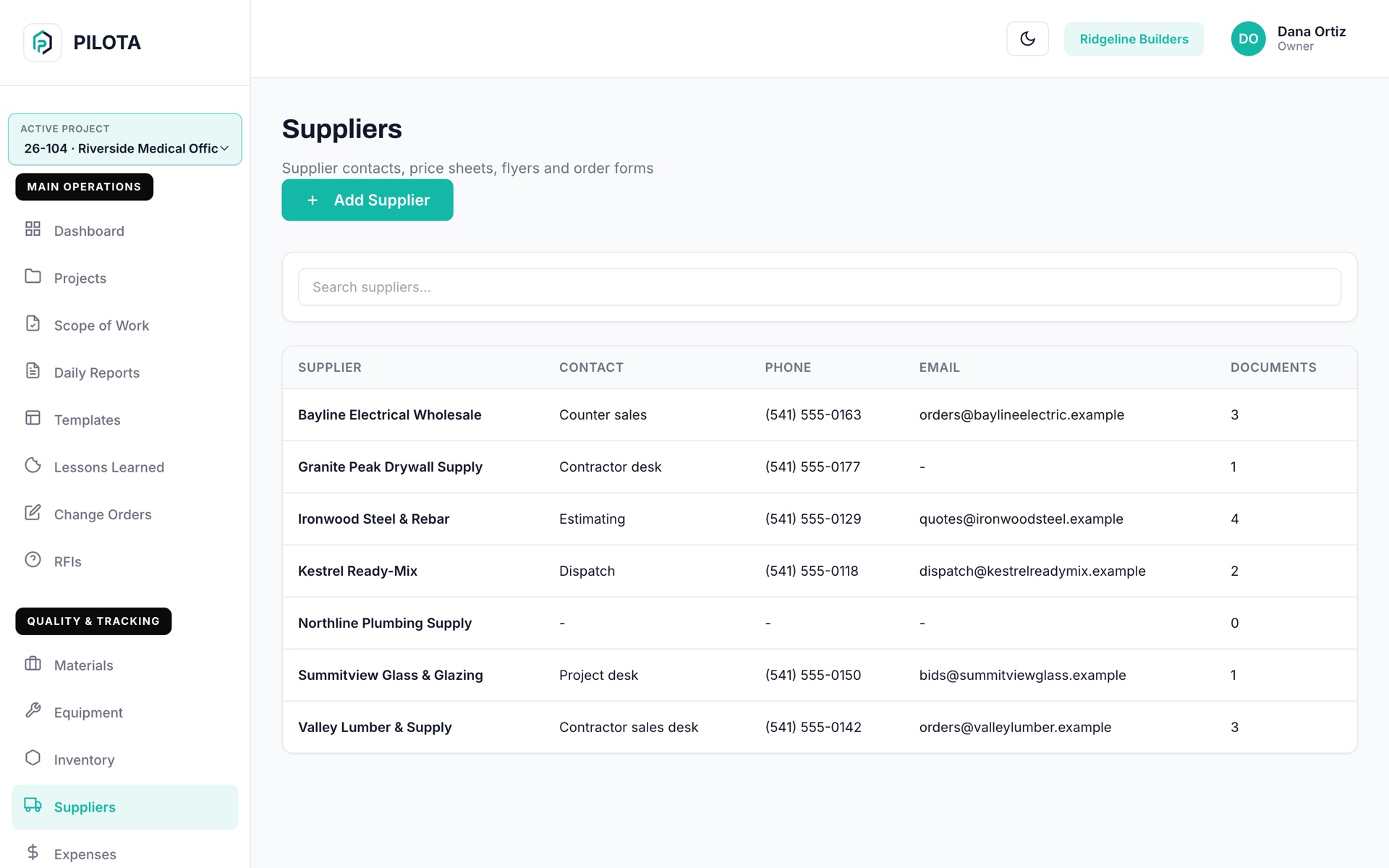
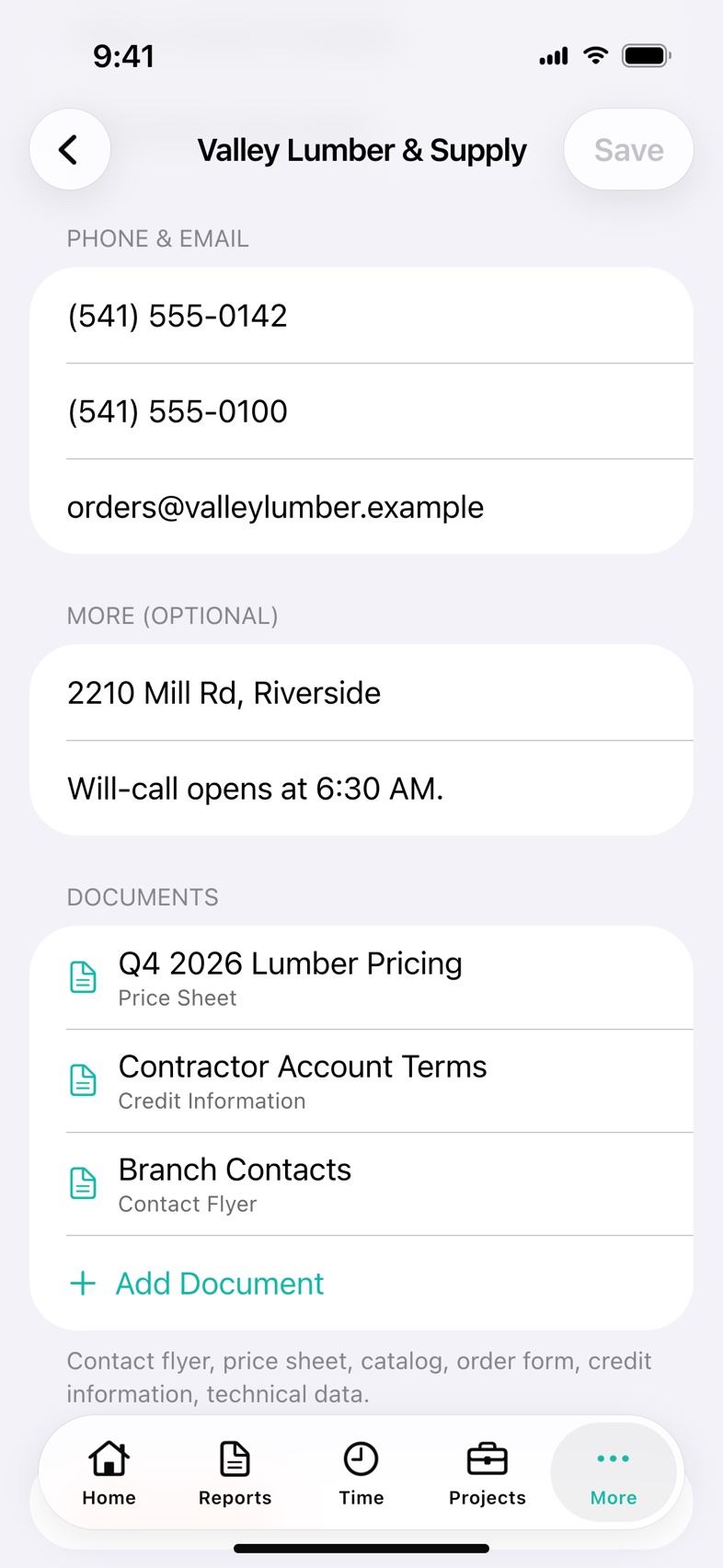
PILOTA Suppliers is a company-wide list of the vendors you buy from. Each supplier holds a contact, cell and office phone, email, address, notes and documents such as price sheets, catalogs and order forms. Suppliers are added automatically when someone enters one on a material, and the same list is shared by the iOS app, the Android app and the web portal.
When the only person with the supplier's cell is off site, the crew waits or calls the main line and starts over.
Typed fresh on every material, one supplier turns into several. Nobody can tell which jobs bought from whom.
The current price sheet or credit terms sit in somebody's inbox, so the field orders blind and the office finds out later.
Save a material, inventory item or imported delivery document with a supplier name and PILOTA adds it to the company list, or counts another use if it is already there. Names match regardless of capital letters.
Start typing and matching suppliers appear. On iOS and Android an empty field shows recent and most-used suppliers first, with a count of how often each was used.
In the iOS and Android apps, an inventory item shows its supplier card with Call, Text and Email buttons, so a superintendent can reorder without looking anything up.
Attach a contact flyer, price sheet, product catalog, order form, credit information or technical data to the supplier. Files up to 25 MB, from the apps or the web portal.
Adding a supplier whose name already exists is refused. The web portal opens the existing supplier and the iOS app offers to open it.
When PILOTA reads a vendor document into materials, the vendor is saved as a supplier and the phone and email it found fill empty contact fields. Existing details are never overwritten.
Type the supplier on a material or inventory item, or add one from the Suppliers list. PILOTA saves it for the whole company.
Open the supplier and fill in the primary contact, cell and office phone, email, address and notes.
Upload the price sheet, catalog, order form or credit information and pick what kind of document it is.
From the inventory item, tap Call, Text or Email on the supplier card, or open the supplier for its documents.
A shared supplier list keeps the number, the price sheet and the order form with the company, not with whoever made the last call.
No. When someone saves a material or inventory item with a supplier name, PILOTA adds that supplier to the company list, or counts another use if it already exists. You can also add suppliers directly from the Suppliers screen.
A company name, primary contact, cell phone, office phone, email, address and notes. You can also attach documents tagged as a contact flyer, price sheet, product catalog, order form, credit information, technical data or other.
Yes. In the PILOTA iOS and Android apps, an inventory item with a known supplier shows Call, Text and Email buttons. The supplier screen has the same buttons, and the web portal shows Call, Text and Email links on the supplier.
Materials keep the supplier name. Deleting a supplier removes its contact details and its uploaded documents.
Suppliers are shared across your company. Field workers, subcontractors, clients and external users cannot open the list, and on the web only owners, admins, managers, project managers and supervisors can delete a supplier.
Yes. The Suppliers list and supplier details are on iOS, Android and the PILOTA web portal, and all three read and write the same supplier records.
Create your account, pick a plan, and your team is up and running the same day.
Get started PILOTA