Your crew takes a photo of the receipt and PILOTA reads the vendor, amount and date for them. The expense lands on the right project, goes to the right approver, and counts against the budget once approved.
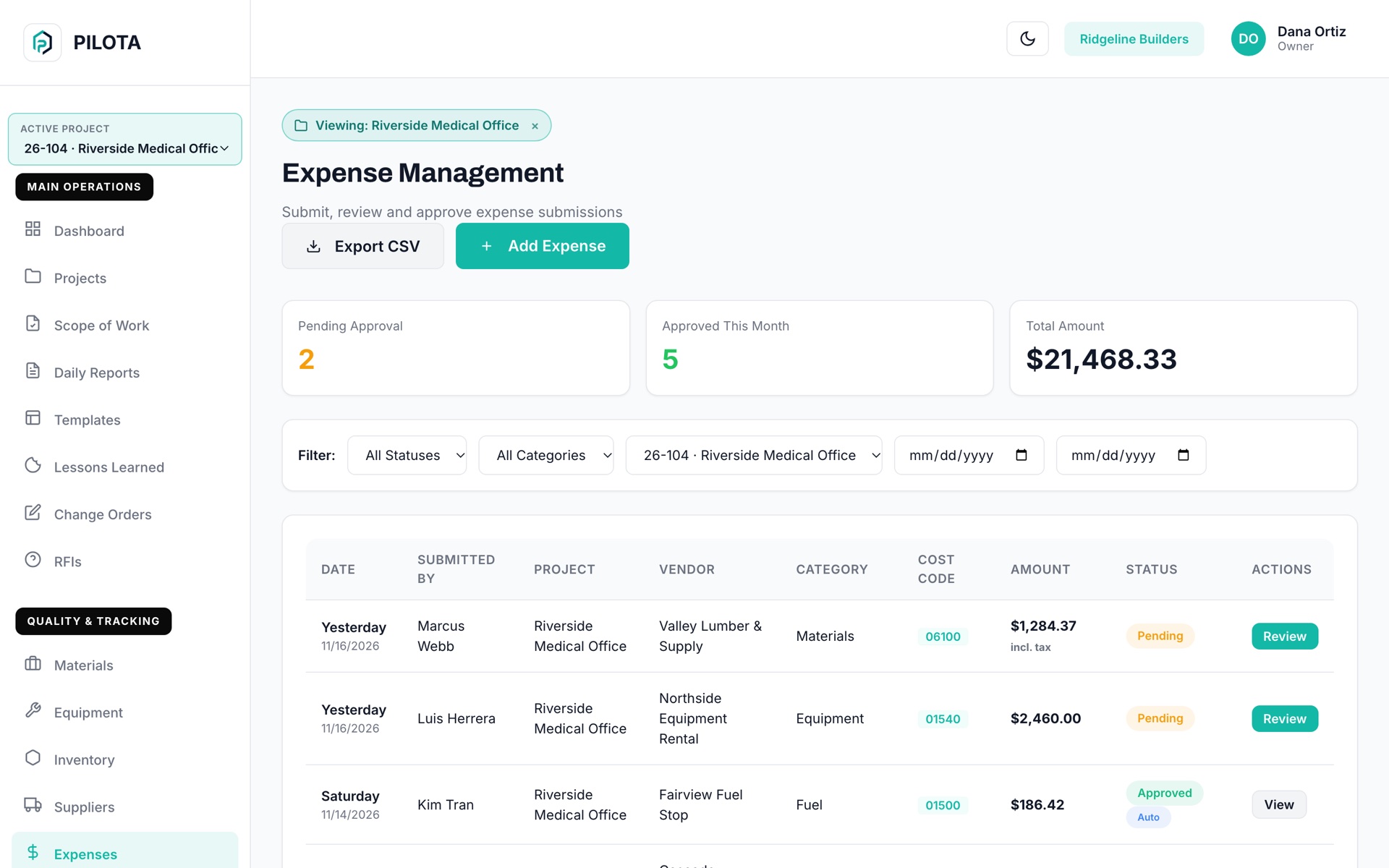
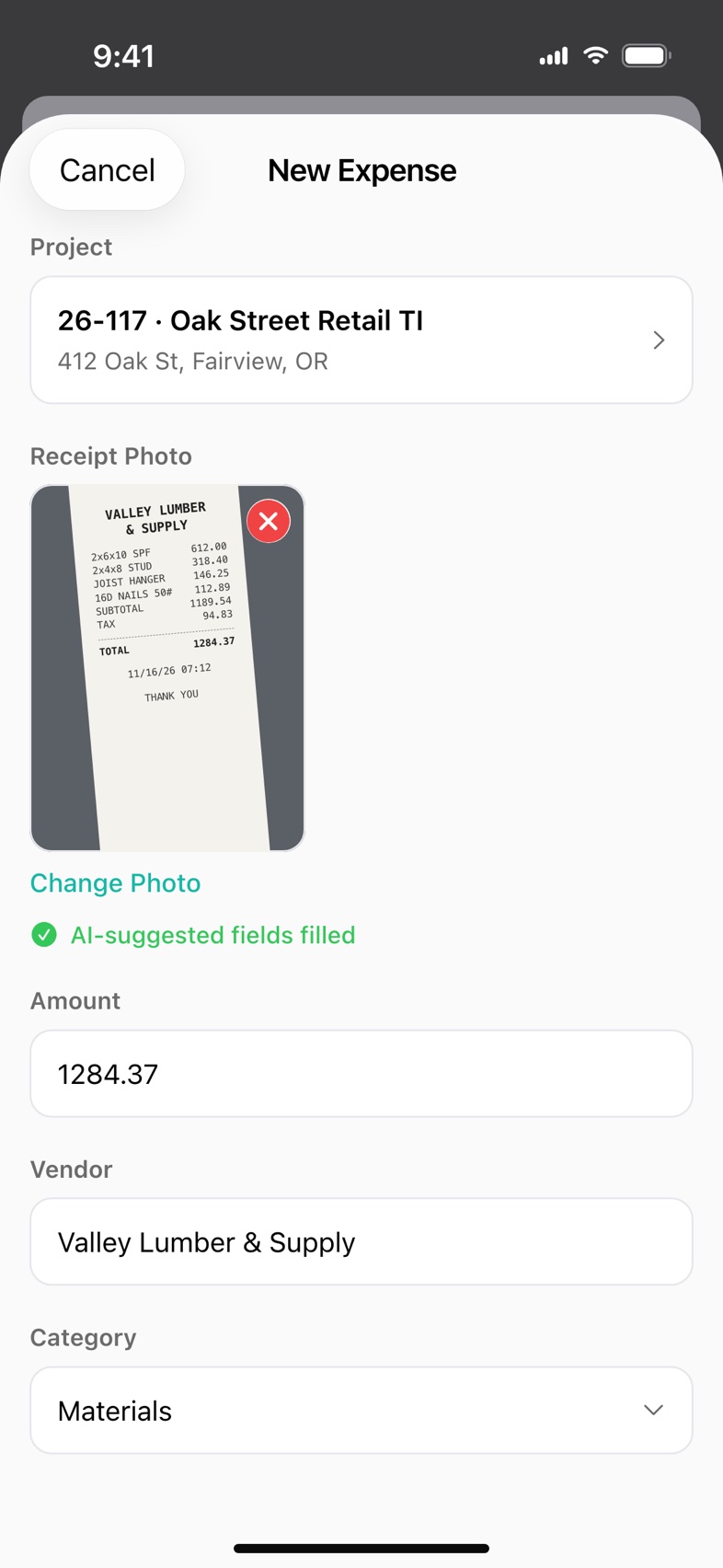
PILOTA expenses are project costs submitted from the field with a receipt photo. AI receipt scanning suggests the vendor, amount, date and category, and each expense carries a project, cost code, tax and description. Expenses are approved or rejected by a manager, or approved automatically under a limit you set.
A faded receipt in a glovebox is a cost you cannot bill or prove. By the time it reaches the office it is weeks late or gone.
Someone in the office keys vendor, amount and date off every receipt. It is slow, and typos land in your job cost.
Without an approval step, a big purchase shows up after the fact, against a job that may not have room for it.
Photograph a receipt and PILOTA suggests the vendor, amount, date and category. If a receipt cannot be read, the form says so and you type it in.
Every expense has a project, category, cost code, date and description, so it lands where it belongs.
Enter a tax rate and PILOTA shows the tax amount and total with tax. Totals in the office include tax.
Managers approve or reject expenses from the phone or the web, with a separate approvals list on iOS and Android.
Set dollar limits in company settings: auto-approve small purchases, send mid-size ones to a project manager and larger ones to an admin.
Filter by status, category, project and date in the web portal, and export the list to CSV.
Pick the project and take a photo of the receipt. PILOTA fills in the fields it can read.
Confirm the amount, vendor and category, add a cost code and submit.
Small amounts can approve automatically. Everything else goes to the right approver to approve or reject.
Approved and reimbursed expenses add to the project's spent total in job costing.
Materials bought on a run to the supply house still cost you, receipt or not. Capturing it on the phone at the counter keeps it on the job and on the bill.
Contractor teams that rely on expenses & receipt scanning day to day. Open one to see how it fits their work.
Take or upload a photo of a receipt when adding an expense, and PILOTA reads it and suggests the vendor, amount, date and category. You review the fields before submitting. Scanning works on iOS, Android and the web.
Yes. PILOTA approval thresholds let you auto-approve expenses under a dollar amount, route mid-size ones to a project manager and send larger ones to an admin. Expenses from partners never auto-approve.
Yes. Approved and reimbursed PILOTA expenses, including tax, count as spent against the project budget. Pending and rejected expenses do not.
Yes. The PILOTA web portal exports the filtered expense list to a CSV file with date, submitter, project, vendor, category, cost code, amount, status and description.
PILOTA expense categories are Materials, Equipment, Labor, Subcontractor, Permits, Fuel, Utilities and Other.
Create your account, pick a plan, and your team is up and running the same day.
Get started PILOTA