Invite a sub to the projects they work on. They clock in, file daily reports, send photos and raise RFIs, and see nothing else in your company.
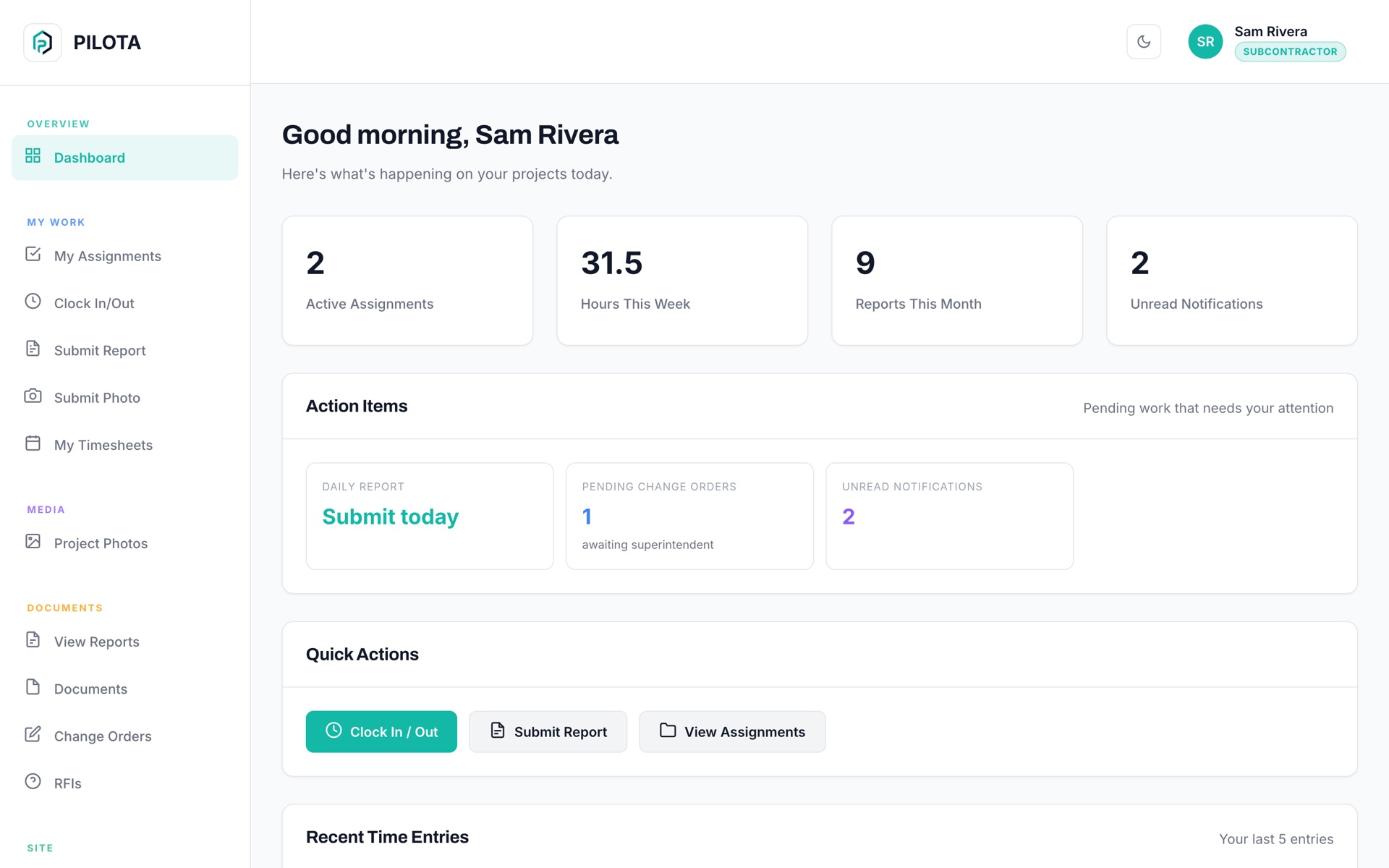
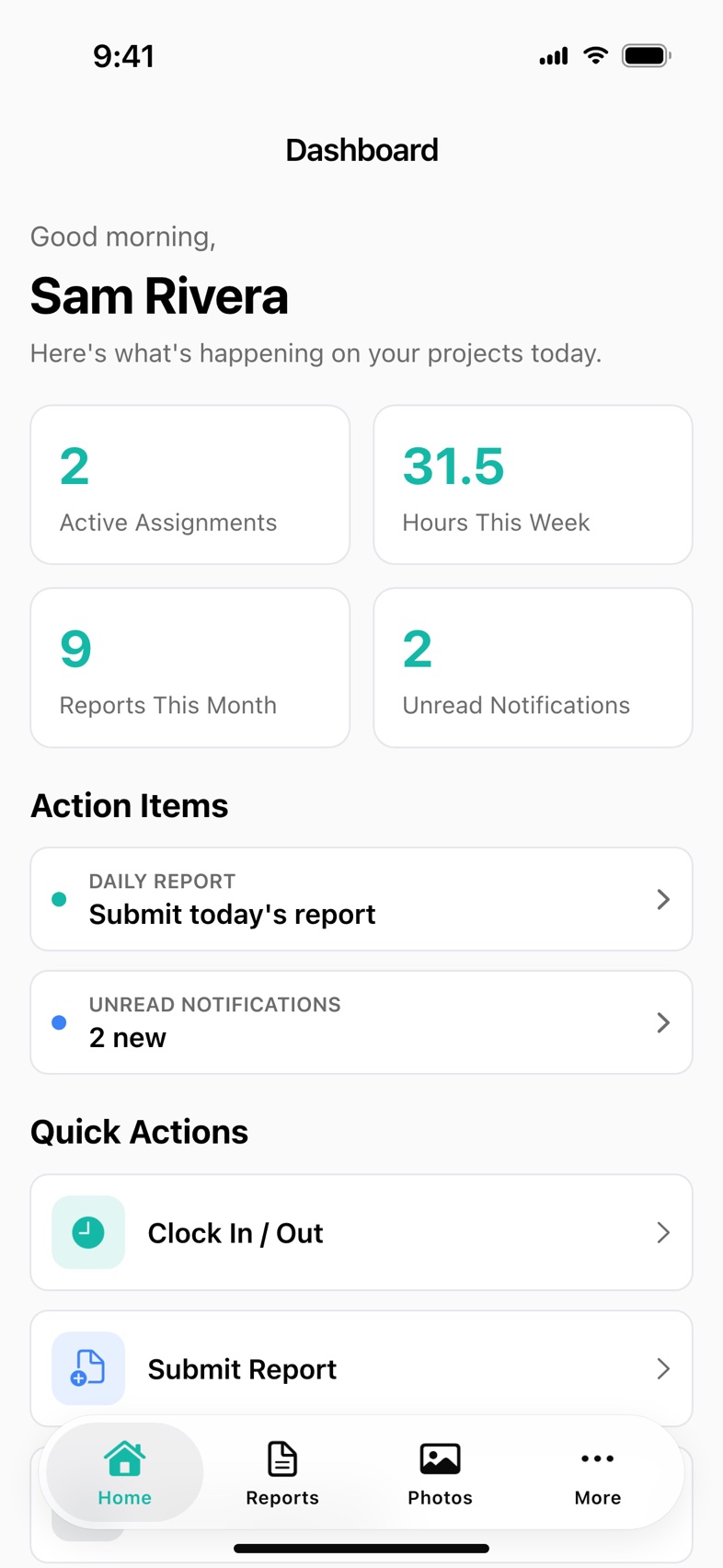
PILOTA partner access lets a general contractor invite subcontractors into PILOTA with limited, per-project permissions. Subs sign in to the PILOTA partner portal on the web or use the PILOTA app, and submit daily reports, photos, timesheets, RFIs and change order requests on the projects they are assigned to. You decide on each project what they can see and do.
Sub foremen text a photo of a paper daily, the PM types it in, and half the time the manpower count is wrong.
The sub's invoice says 40 hours on site. You have no time stamps from the job to compare against.
Most tools make you add a sub as a full user. Then they can see your other jobs and your numbers, so you just leave them out.
A partner sees just the projects on their invitation. Each project carries its own permissions, so a sub can submit reports on one job and only view photos on another.
Subs submit daily field reports and photos and clock in and out on their projects. Their entries land in your project next to your own crew's.
Subs submit and track RFIs on their projects, and subcontractors can submit change orders that wait for your superintendent.
Per project, turn on safety incidents and observations with toolbox talks, QC inspections, the punch list items assigned to them, project chat or expenses. All are off by default.
In the partner portal, reports, photos and clock in or out are saved on the device when the connection drops and sent when it comes back.
Invite from the web portal or the iOS and Android apps. Group partners under their firm, resend an invitation, edit permissions or revoke access in one place.
In Partners, choose Invite Partner and pick Subcontractor. Add their name, email and firm, then check the projects they work on.
Subcontractor defaults allow reports, photos and timesheets. Turn on safety, QC, punch list, chat or expenses only where you need them.
The email invitation carries your company name and logo and is good for 7 days. The sub signs in to the partner portal or the PILOTA app.
Reports, photos, hours and RFIs from the sub appear on your project for review, next to your own crew's.
Every sub report you retype or never get is a day you cannot prove when a dispute or a delay claim comes.
Contractor teams that rely on subcontractor & partner access day to day. Open one to see how it fits their work.
No. A subcontractor sees only the projects you assign them, and financials are off by default. You set what they can view and submit separately on each project.
By default a subcontractor can submit daily reports and photos and clock in and out on their assigned projects. They can also submit RFIs and change order requests. Safety reporting, QC inspections, punch list items, project chat and expenses can be turned on per project.
Yes. When you invite a partner you can put them under a partner firm, or add a new firm on the spot. Members of the same firm stay together in your Partners list.
Yes. Subs can use the partner portal in a phone browser, where reports, photos and clock in or out are kept on the device and sent when signal returns. They can also sign in to the PILOTA app for iPhone and Android, which is not in the App Store or Google Play yet.
Open Partners and choose Revoke. Their access ends and any pending invitation is cancelled. You can reactivate them later for the next job.
Create your account, pick a plan, and your team is up and running the same day.
Get started PILOTA