Run the job, not the paperwork. PILOTA keeps your subs, your RFIs, your change orders and your owner on the same project, from the office and the field.
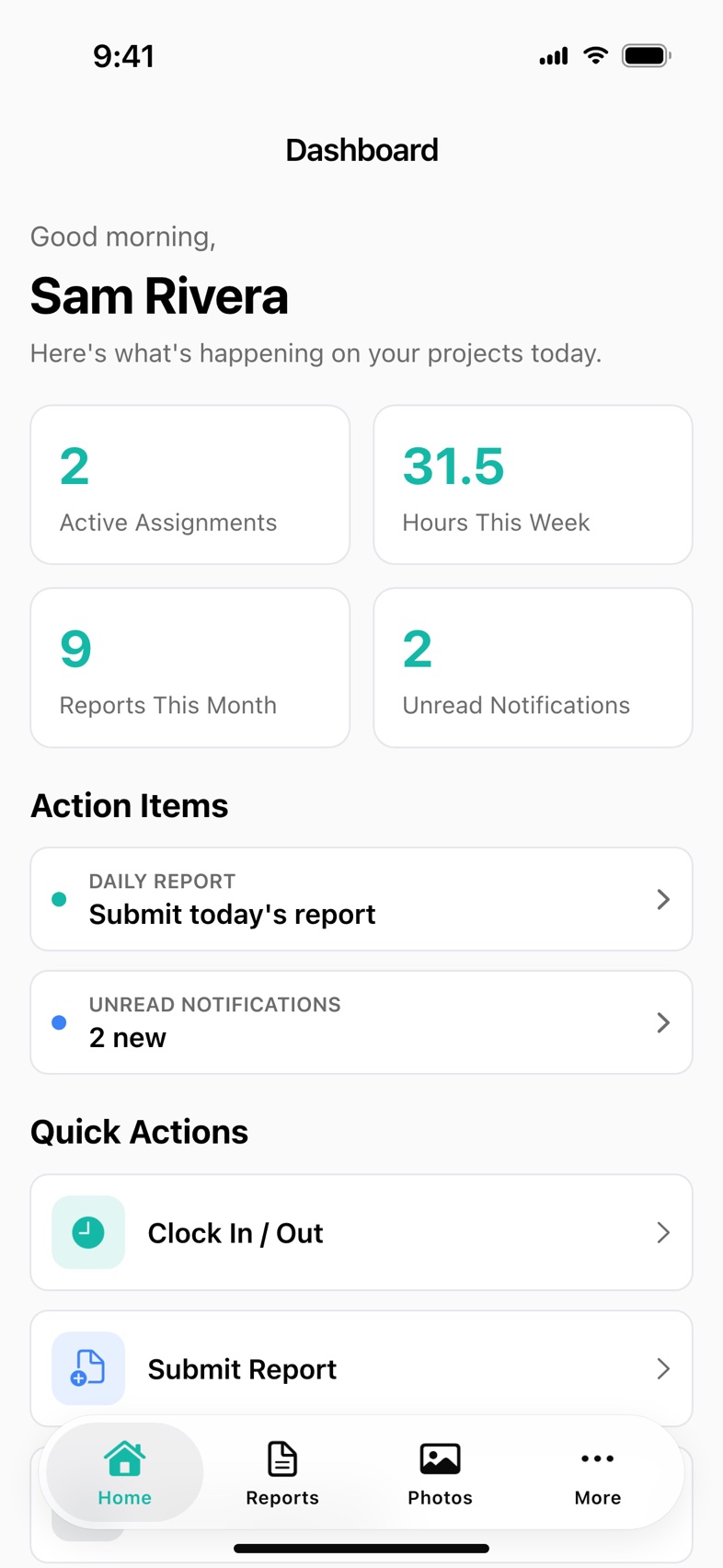
PILOTA for general contractors is project management software that puts your own crew, your subcontractors and your owner on the same project record. Subs submit daily reports, photos, hours and RFIs into your project with per-project permissions, and owners approve change orders with a signature in the client portal. It runs in the web portal and the iOS and Android apps.
Each sub sends reports a different way, if they send them. When a dispute comes up months later, you are digging through texts to prove who was on the job and what they did.
A question sits in someone's inbox while the crew waits, and a field change gets built before anyone prices it or gets it signed.
Your PM spends the afternoon forwarding photos and rewriting the week for the owner instead of running the job.
Schedule your own crews by project and day on the week grid. Subs already invited to the job see their projects in the partner portal or the PILOTA app.
Your super and each sub submit daily reports and photos. Hours land on the time clock by project and cost code, and reports wait under Pending Approvals.
An RFI goes in from the field, gets answered and closed with a comment thread. A field change becomes a priced change order and goes to the owner to sign.
The owner reviews the week in the client portal. You check budget against spent on the Budget Dashboard, with approved change orders already counted.
PILOTA gives a general contractor one project record for daily reports, RFIs, change orders, punch lists, photos, time and costs. Subcontractors and owners get limited access to the projects you assign them, on the web or in the PILOTA app.
Yes. You invite a sub to specific projects with permissions set per project. By default they can submit daily reports and photos and clock in and out, and they can submit RFIs and change order requests. Financials are off by default.
Yes. Every plan includes unlimited projects, and the Ground plan is $79 a month for up to 5 users. Subcontractors and owners are invited as partners on the projects you assign them.
No. PILOTA does not do estimating, takeoff, bid management or a submittal log. It starts once the job is won: field reporting, RFIs, change orders, punch lists, time and job costing.
No. PILOTA scheduling assigns crews to projects by day and repeating shift, shows crew counts across the week and tracks milestones. Keep your CPM scheduling tool for the master schedule.
No. PILOTA tracks budget, approved change orders and the contract total, but it does not create invoices, pay applications or retainage. An itemized expense CSV can go to your accounting software.
Start your 14-day free trial. Your team can be up and running the same day.
Get started PILOTA