Keep one equipment register for the office and the field. Crews check machines and tools out and back in from the phone, and the office books each item to a project for a date range without double-booking it.
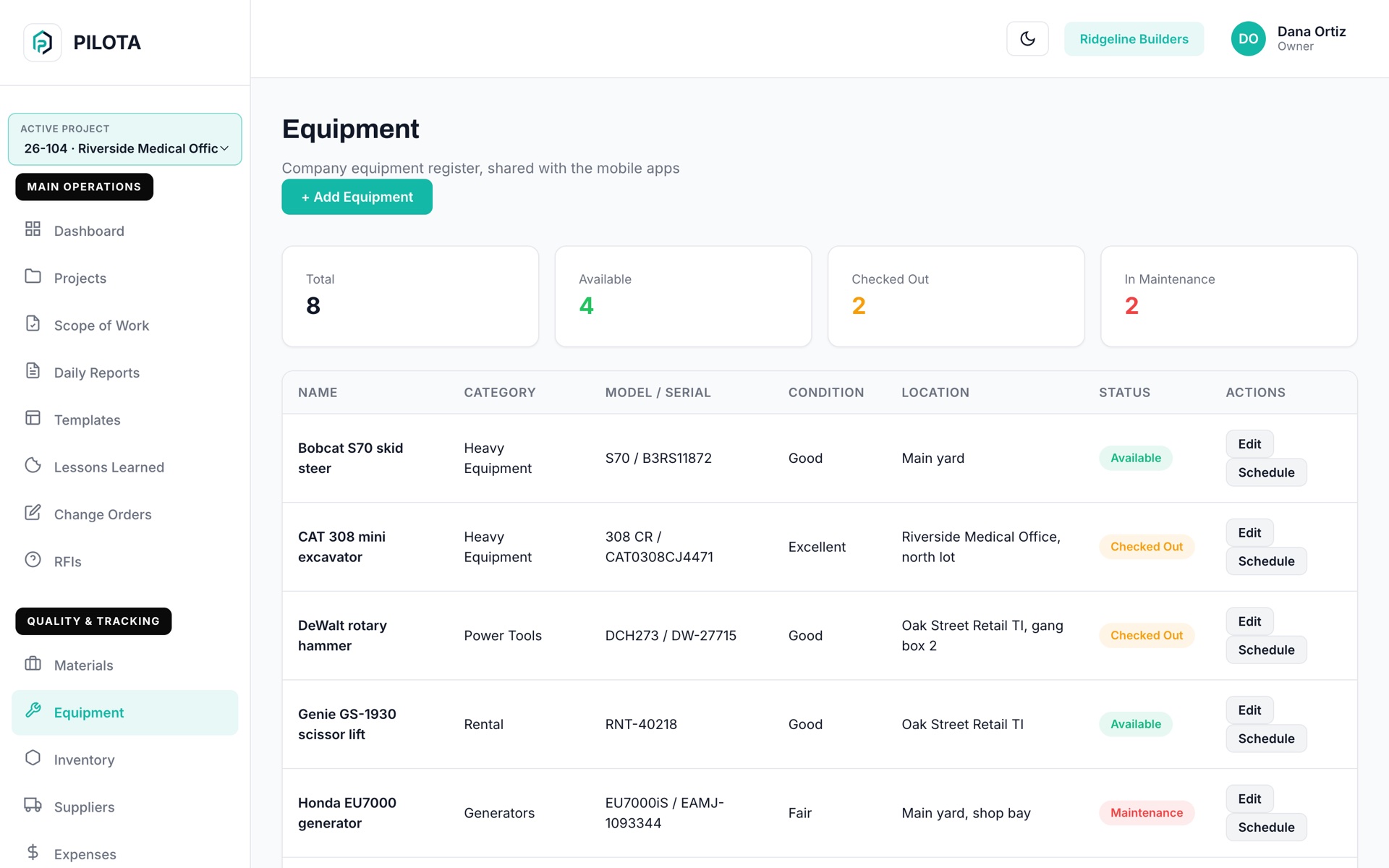
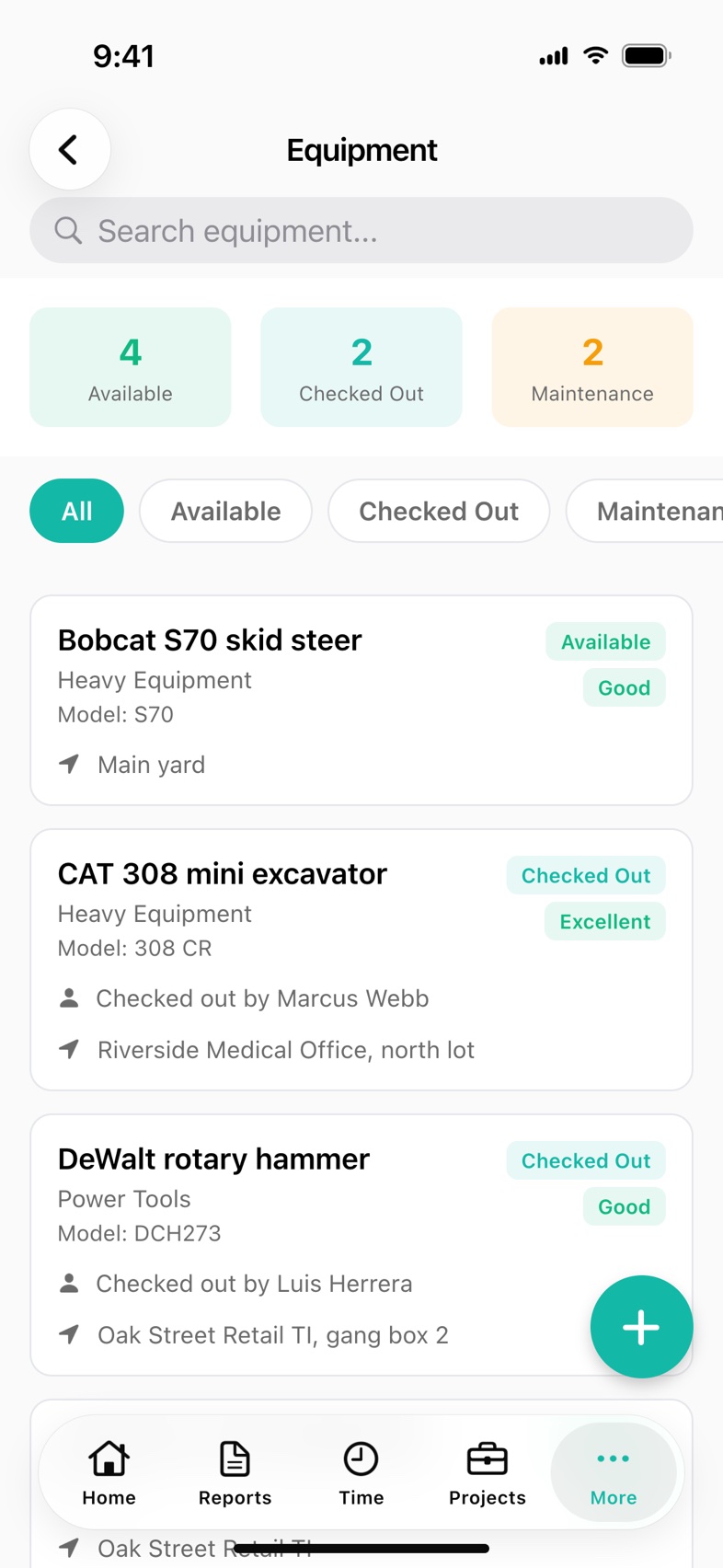
PILOTA equipment tracking is a company-wide register of your machines, tools and rentals. Each item carries a status (Available, Checked Out, Maintenance), a condition, a location and the name of whoever has it. Items can be reserved to a project for a date range, and PILOTA refuses a booking that overlaps one already on the schedule.
The rotary hammer left the yard last week and nobody wrote down who took it. The foreman spends the morning calling around instead of running the crew.
The excavator gets promised to two sites for the same week. One crew shows up ready to dig and there is nothing to dig with.
A scissor lift sits on a finished job while the rental clock keeps running. Nobody noticed the billing cycle ended because the date lived on a paper ticket.
Name, category, model, serial number, condition, location and status for every item. The office works the same register in the web portal that crews use on iOS and Android.
Check an item out from the phone and it shows Checked Out with your name on it. On return, pick its condition from Excellent to Needs Repair and add a note. The history logs who had it and for how many hours.
Reserve an item to a project for a date range. If it is already booked for any of those days, PILOTA blocks the booking and tells you which project has it.
Track a rental's cycle start, cycle length and rental contact on the phone. The cycle end date turns red once it has passed, so idle rentals get called off.
Record the last maintenance and schedule the next one in the iOS and Android apps. A next maintenance date that has come due shows in red on the item.
When you import a delivery ticket or rental invoice into a project's inventory, mark a line as rental equipment and PILOTA adds it to Equipment with the rental dates and supplier.
Add each machine, tool or rental with its category, model, serial number, condition and location, from the phone or the web portal.
Reserve the item to a project for the days you need it. Overlapping bookings are refused before they reach the crew.
The crew lead checks the item out on the phone. Everyone sees it as Checked Out, with the name of the person holding it.
On return, rate the condition and add a note. The checkout history keeps who had it, when, and for how many hours.
Every lost morning hunting a tool, every crew waiting on a double-booked excavator and every rental left running past its cycle comes out of the job's margin. A shared register shows where each item is before it becomes a problem.
Contractor teams that rely on equipment day to day. Open one to see how it fits their work.
Yes. Owned items can carry a purchase date and price, and rentals can carry a billing cycle start, cycle length and rental contact. Both live in the same equipment register.
Each reservation books an item to one project for a date range. Before saving a new reservation, PILOTA checks that item's existing bookings and refuses one that overlaps, naming the project that already has it.
Yes. On iOS and Android, a crew member opens an available item and taps Check Out Equipment. The item then shows as Checked Out with their name until it is returned.
PILOTA logs the time between check-out and return. When an item comes back, the checkout history records the return time and the hours it was out.
Yes. In the iOS and Android apps, each project has its own Equipment list showing the rentals and tools on that job, and items added there are tied to the project.
Yes. The PILOTA web portal has an Equipment page with the full register, add and edit, recent checkout logs, and the upcoming equipment schedule with booking to projects. Check-out, return, maintenance dates and rental billing cycles are handled in the mobile apps.
Create your account, pick a plan, and your team is up and running the same day.
Get started PILOTA