Gloves on, phone in hand, no time to type. Tap the mic in PILOTA, say what happened on site, and the words land in the report. One more tap cleans the rough speech into sentences the office can read.
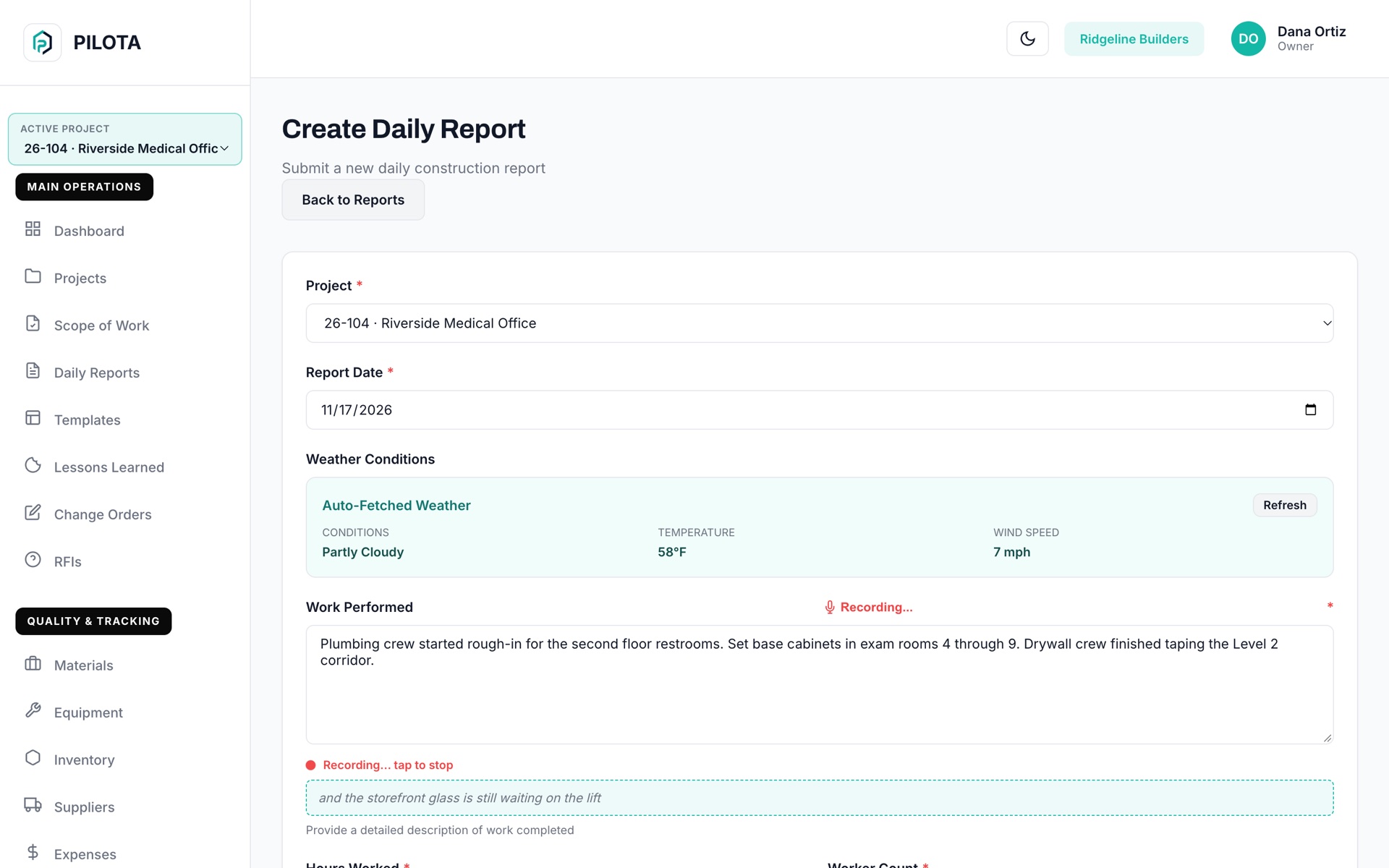
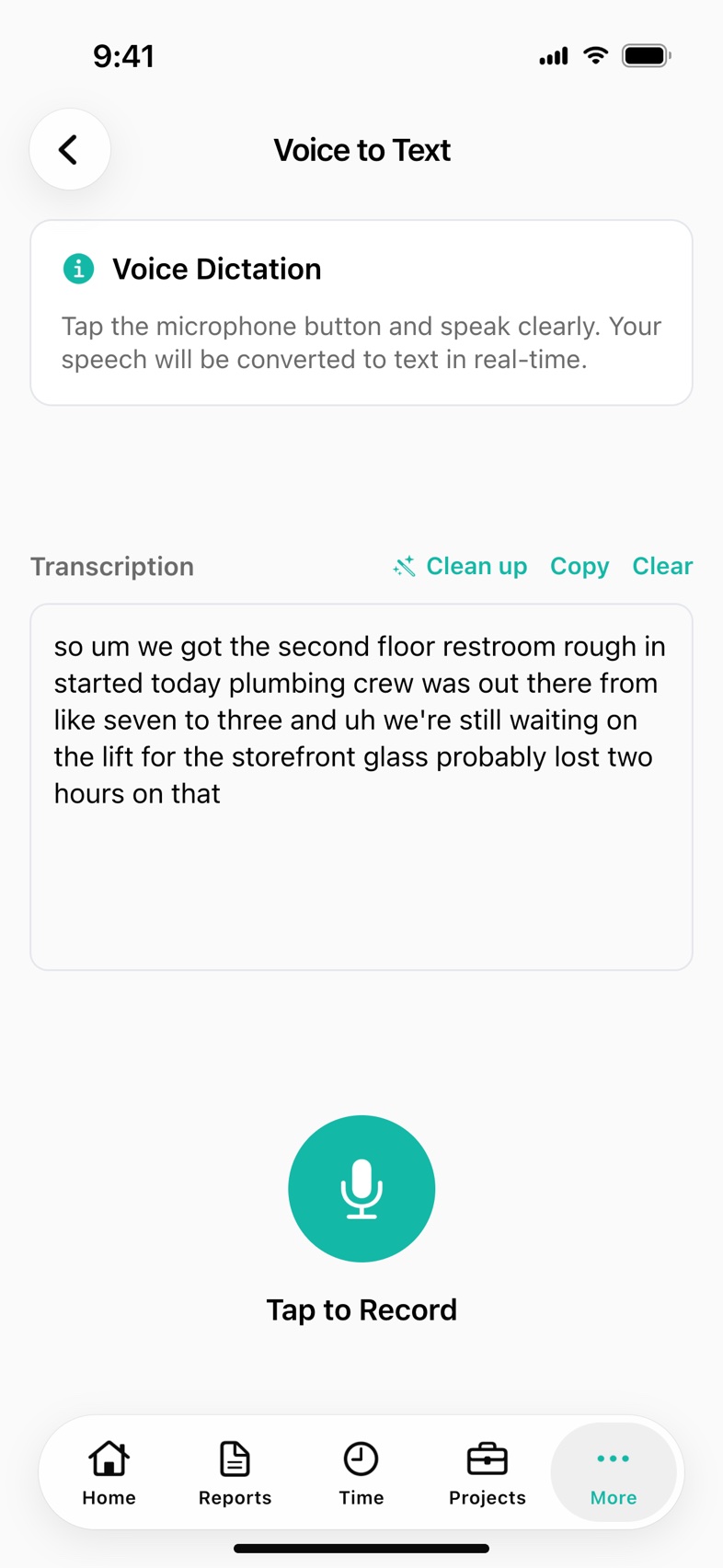
PILOTA voice-to-text is dictation built into the daily report. A foreman taps the mic on the PILOTA iOS or Android app, or in the web portal, speaks, and the words are written into the field. On the apps, an AI clean up rewrites the spoken text into clear report sentences while keeping every quantity, name, location and time as said.
After ten hours on site, thumb-typing a page of notes is the last thing a foreman will do. The report says "worked on level 2" and nothing else.
Raw dictation is full of "um", "like" and run-on sentences. Someone in the office ends up rewriting it before it can go to the owner.
The two hours waiting on the lift and the short delivery are clear at 2 pm. By the time someone types the report that night, they are forgotten.
Tap the mic in the Work Performed box and talk. On iOS you see the words as you speak and they are added to what is already there when you stop. Android and the web portal have the same mic on that field.
On the iOS and Android apps, one tap rewrites rough dictation into clear, professional sentences. Filler words go, grammar gets fixed, and quantities, names, locations and times stay exactly as you said them.
If the clean up can't run, PILOTA shows the reason and leaves your text exactly as it was. You can always submit the raw dictation.
Open Voice to Text from a report field to record longer notes, review the transcript, then drop it into the report. On iOS it also opens from the More menu, with Clean up and Copy for text you want anywhere.
On iOS, Voice to Text also fills Safety Issues, delay notes and additional project notes. On Android, Safety Issues has its own mic with clean up.
Open a daily report and tap the mic on Work Performed. The first time, allow microphone and speech recognition access.
Talk the way you would to your PM. Each recording adds to the text already in the field.
On the apps, tap Clean up with AI to turn the dictation into report-ready sentences. Edit anything by hand if you want.
The cleaned text goes in with the rest of the daily report, ready for the office to review.
If writing the report is a chore, it gets skipped or cut short, and the record you need for a delay or a dispute isn't there. Talking takes a minute, so the detail actually gets captured.
Yes. In PILOTA, the Work Performed field of the daily report has a mic on iOS, Android and the web portal. Tap it, speak, and your words are written into the field.
On the PILOTA iOS and Android apps it rewrites raw dictated text into clear sentences for a daily report. It removes filler words and fixes grammar, and it is told to keep quantities, names, locations and times exactly as stated and not add details.
Yes. PILOTA's AI features run on your company's own Gemini API key, which a company admin adds in the web portal under Integrations. Without a key, dictation still works and only the clean up step is unavailable.
Dictation in the web portal uses the browser's built-in speech recognition. If a browser does not support it, the mic button is hidden. AI clean up is in the iOS and Android apps, not the web portal.
PILOTA dictation is set to US English on iOS, Android and the web portal.
Create your account, pick a plan, and your team is up and running the same day.
Get started PILOTA